
PRODUCT CASE STUDY · EDUCATION · EARLY LEARNING
Every word
can be a little win.
Building an interactive vocabulary and speaking-practice experience for children aged 4–8, designed around short activities, clear cues, and encouraging feedback.
Explore SwipeWise ↗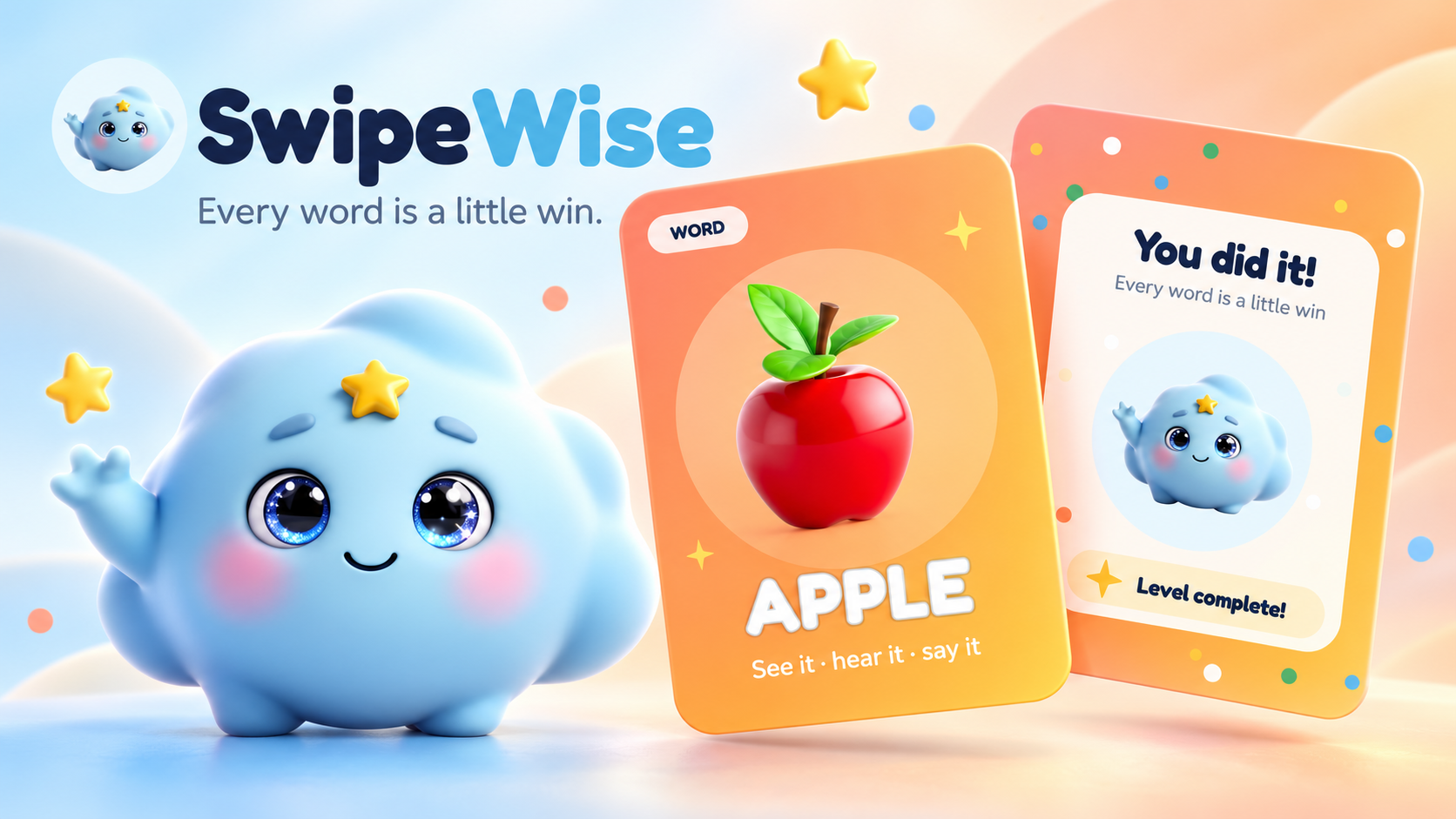
PRODUCT OVERVIEW
Make vocabulary practice feel like an activity, not a lesson.
SwipeWise is an interactive learning application for children aged 4–8. It helps young learners practise vocabulary and speaking through illustrated picture and word cards, audio pronunciation, speech practice, positive feedback, rewards, and progress tracking.
The product breaks learning into short, repeatable interactions. The central idea is to help children recognise a word, hear how it is pronounced, try saying it, and receive supportive feedback before moving forward.
A simple, multisensory learning loop with visible progress and encouragement can make vocabulary practice more approachable and invite continued participation. Learning effectiveness still needs dedicated evaluation.
THE CHALLENGE
Design for a young learner’s attention, confidence, and capabilities.
For children aged 4–8, a text-heavy interface, complicated navigation, or unclear next action can make independent participation harder. The experience needed to balance educational intent with simplicity and delight.
Make it easy to start
Use straightforward activities children can understand and repeat.
Show, play, and speak
Combine pictures, written words, audio, and speaking practice.
Make practice feel safe
Encourage another attempt when a learner is still practising.
Show what comes next
Make completed activities visible and preserve the learner’s place.
These needs shaped product structure, interaction behaviour, visual direction, and continuity requirements.
USERS & DESIGN PRINCIPLES
Give children a clear path while keeping progress legible to adults.
Children aged 4–8
Need large, visible controls, simple navigation, familiar visuals, short tasks, and encouraging feedback that supports another try.
Parents and caregivers
Need a practical way to help the learner begin, adjust settings such as audio, and understand progress and completed activities.
Interaction principles
LEARNING JOURNEY
Connect each screen to the learner’s next step.
The flow connects onboarding and the learning activity into one continuous experience. Settings support adjustments—particularly audio—without competing with the main child-facing task.
The ten-level deck provides a simple progression model. Learners move through activities progressively, with saved progress and a resume path intended to help them continue where they left off.
PRODUCT FEATURES
Turn the learning idea into clear behaviours.
01Learner onboarding and profilePersonal starting point
A learner can set up a profile with a name, avatar, and age range. The setup provides a clear entry into the experience without a complex configuration flow.
02Interactive picture and word cardsVisual recognition
Each learning card pairs an illustration with a word label. The child can move between cards, keeping the interaction focused on one word at a time.
03Audio pronunciation playbackListening
Audio lets children hear a word pronounced before they practise saying it, connecting the written label and illustration to a spoken reference.
04Speech recognition practiceActive participation
Speech recognition gives learners an opportunity to say the word aloud instead of only viewing or listening. The experience depends on browser speech-recognition support, which remains an implementation constraint.
05Positive rewards and completionCelebrate progress
Stars, completion feedback, celebration screens, and supportive retry messages acknowledge participation and make the progression through a level visible.
06Saved progress and resumeContinuity
Level progress is saved in the browser, and learners can resume from a previous position. Progression logic accounts for the furthest position reached so navigation and saved state stay consistent.
PRODUCT OWNERSHIP & ITERATION
Keep refining after the first version works.
I led SwipeWise from product concept through design direction, feature definition, and implementation refinement. In the Product Owner role, I translated the learning concept into requirements and guided how interactions should behave.
Expand the learning system
Organized vocabulary content into ten progressive levels and clarified how the activity structure supports continued practice.
Refine saved progress
Worked through save and resume behaviour and the relationship between a learner’s furthest position and available navigation.
Protect clarity
Identified layout cases where multiple visual elements could overflow and affect the experience, then guided refinements.
Make practice understandable
Refined speech behaviour and card clarity so the speaking activity was easier to follow.
Prepare for deployment
Supported launch preparation for a Lovable-connected workflow and Vercel deployment, including installation guidance and release considerations.
Connect intent to behaviour
Reviewed implementation, identified areas for refinement, prioritized improvements, and coordinated product iterations.
MEASUREMENT & FUTURE
Track participation separately from learning outcomes.
Analytics events were included for word completion and level completion. These events can help describe activity and progression, but they do not by themselves demonstrate vocabulary retention or improved speaking ability.
Shows a learner completed or interacted with a word activity.
Shows progress through the defined learning sequence.
Claims about retention or speaking improvement need dedicated learning-effectiveness measurement.
Progress is currently stored in the browser, and speech recognition depends on browser support. These factors inform future work on cross-device continuity and broader compatibility.
Future product opportunities
OUTCOMES & REFLECTION
A working application with a structured foundation for learning and iteration.
The documented outcome is a functional learning experience that connects onboarding, ten structured levels, vocabulary cards, listening, speaking practice, rewards, and saved progress. No verified usage or learning-effectiveness metrics were provided.
Design the experience around what the user can understand and do.
A repeatable interaction model helps keep features connected to the product idea.
Product ownership continues through implementation review and refinement.
Engagement and learning effectiveness are different measures.
Technical constraints such as local storage and browser speech support shape the experience.
MY PRODUCT APPROACH
Translate a clear user need into a thoughtful, structured, and functional experience—then keep improving it.
NEXT PROJECT
JobBox↗Back to all selected work